
Dynaco technical news January 2026
Below you will find an overview of all technical updates and news for Dynaco that was released in January 2026.
Dynaco Update #1 2026: New feature in the Dynaco Installer App
Dynaco High Speed & Sectional Doors
To further support our dealers’ and partners’ technicians during installations, we continue to improve the Dynaco Installer App (available on both Google Play & Apple App Store).
A new and highly practical feature has now been added: direct access from the app to installation & user manuals and technical documents.
This addition ensures technicians can quickly and easily find the correct installation manual, controller manual, wiring diagrams, and more – directly on-site.

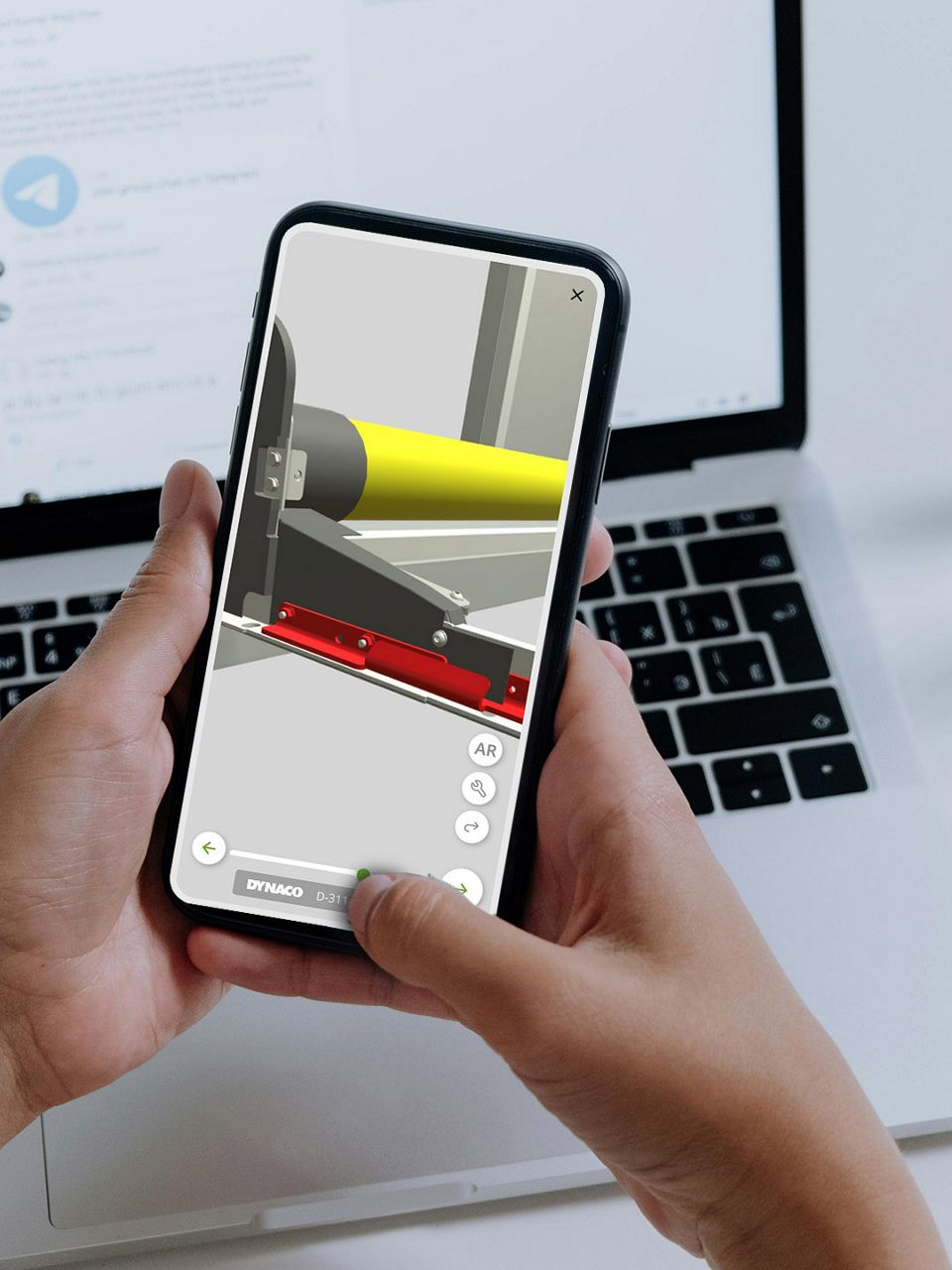
How to access manuals through the Dynaco Installer App
1. Open the Dynaco Installer App
Available on:
- Google Play Store
- Apple App Store
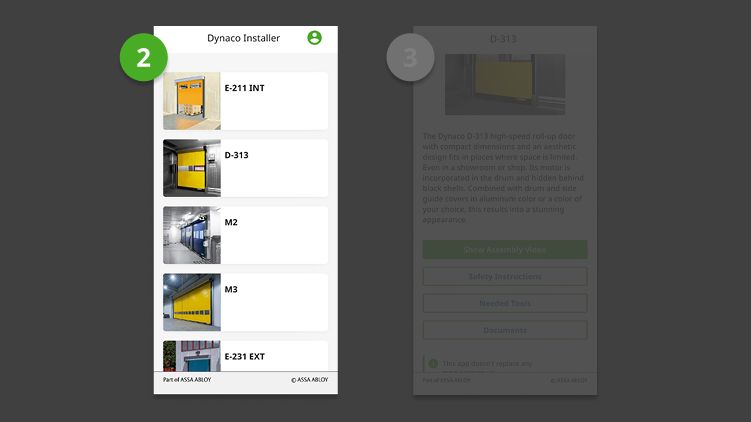
2. Select the Door Type
From the main screen, tap on the door you are working on.
Note: Not all door types are available in the app yet — we are continuously adding more.
If the specific door model is not visible, you can simply select any available door and follow the same procedure.
Once you reach SharePoint, all door models are available and can be filtered using the language and door type filters.
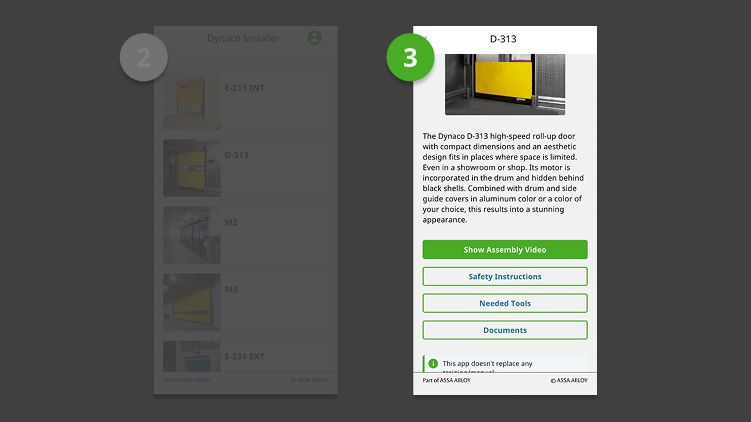
3. Go to the “Documents” Section
Once inside the door menu, select Documents.
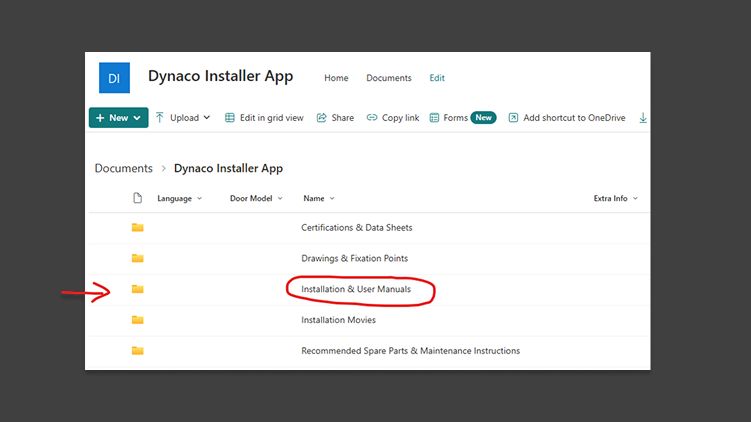
This automatically opens the corresponding folder in a SharePoint, containing all documentation for Dynaco products.
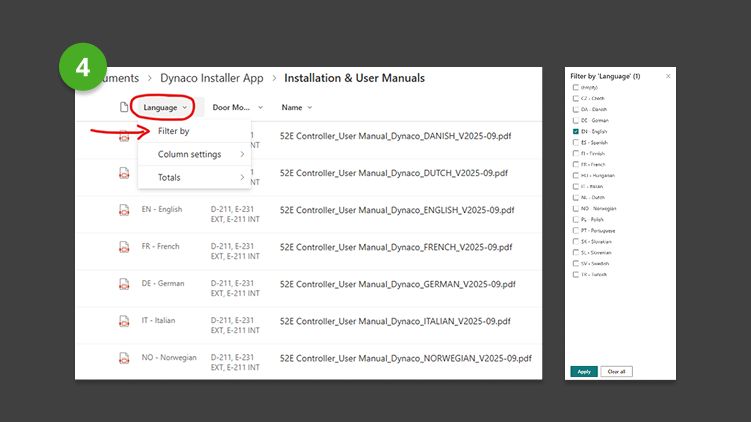
4. Find the Correct Manual
Once the SharePoint page opens, technicians can easily filter the list to find the exact document they need.
5. Filter by Language
At the top of the language column, click the filter icon.
- Select your desired language (EN, FR, DE, NL, etc.)
- Confirm the filter to narrow down the results.
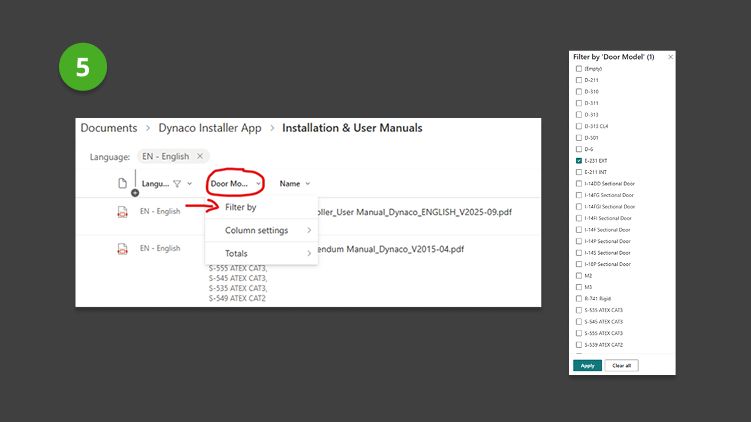
6. Filter by Door Type
In the next column, you can refine the results by selecting the door model.
By combining the app with the SharePoint filtering system, technicians can now:
- Quickly access the installation manual of the specific door they are installing
- Avoid searching through large document folders
- Work faster and more accurately on-site
- Always work with the latest version of our technical documentation






Dynaco Update #2 2026: Processor C-PCB – New Software and Hardware
- Models Affected: Dynaco SOHD type I-14P/F & I-18P
- Info: Processor C-PCB – New Software and Hardware


Significant update
The C700 series receives a significant update regarding the C-PCB processor. This update includes both new hardware components and optimized software functionalities
Want to explore more technical news?
Any question?
For questions or further assistance, please contact our Customer Support Center:
Email: customer-support@dynacodoor.com
Phone: +32 53 729 979

